
The Journal
Written by: ACRE | Published On: February 24, 2026
ACRE Customer Portal
Your ACRE Customer Portal is the next evolution in how you interact with ACRE. It has been designed to give you complete visibility, control, and clarity over your commercial performance, all in one place. It is a strategic tool that helps you run a smarter, more profitable clinic.
What is the ACRE Customer Portal?
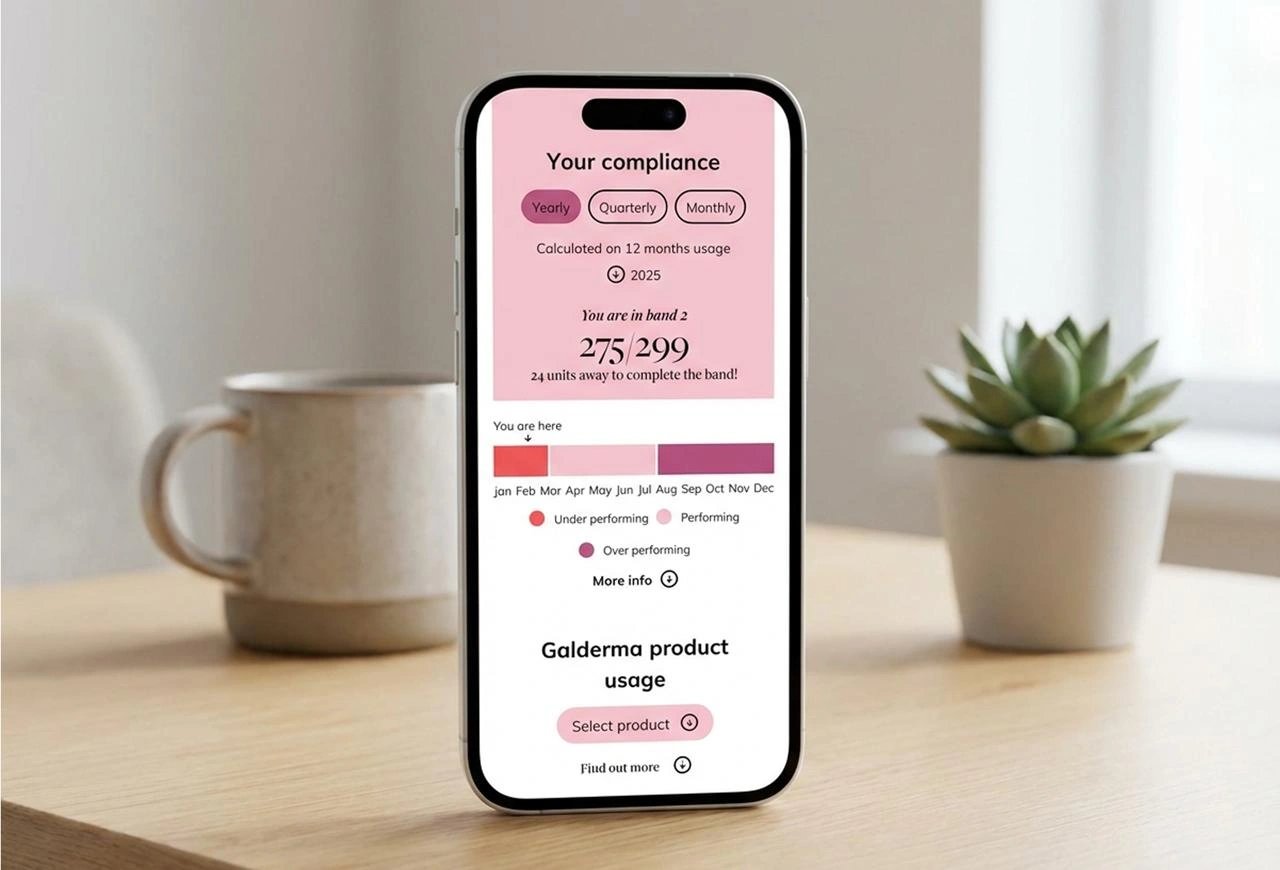
Your ACRE Customer Portal is a centralised, intelligent dashboard that gives you full visibility of your:
- Galderma Commercial Policy compliance and position
- Savings achieved through ACRE
- Product usage and purchasing trends
- Account performance and financial overview
At a glance, you can understand where you stand, how you are performing, and how to optimise your purchasing decisions.
It transforms commercial complexity into clear, actionable insight.
Why Does It Exist?
We created this portal to give you clarity, confidence, and control.
It enables you to:
- Instantly understand your Commercial Policy position
- Monitors spend and track threshold progress in real time
- Protect and optimise their commercial margin
- Analyse product usage trends over time
- Make smarter purchasing decisions using real data
- Manage invoices, order history, and account information in one place
Ultimately, it positions ACRE as not just a distributor, but a true commercial partner.
Galderma Commercial Policy Customers
For Galderma Commercial Policy Customers, the dashboard opens on your Commercial Policy overview, where you can:
- View your compliance status
- Track your threshold progress
- See which Commercial Policy band you are in
- Filter your performance by month, quarter, or year
- Review your Galderma product usage and toxin-specific trends
This gives you complete transparency over your Commercial Policy performance.
Key Dashboard Features and Commercial Insights
You can filter and analyse performance across several key areas including:
- Product pricing advantages
- Delivery savings
- Voucher and promotional savings
- Compare brands
- Product usage insights
- Account credit overview
- Account Management and Operational Features
FAQs
Q: What is the ACRE Customer Portal?
A: The ACRE Customer Portal is a secure, centralised dashboard that gives you complete visibility over your account performance, including your Galderma Commercial Policy position, savings, product usage, and financial overview. It is designed to help you better understand your purchasing activity, track your commercial performance, and make more informed business decisions.
Q: How do I access the Customer Portal?
A: You can access the portal by logging into your ACRE account as usual. Once logged in, you will see your account dashboard, where you can navigate to all portal features. If you are a Galderma Commercial Policy customer, your Commercial Policy overview will be visible immediately.
Q: What can I track within the portal?
A: The portal allows you to track:
- Your Galderma Commercial Policy compliance and threshold progress
- Savings achieved through ACRE pricing, promotions, and delivery
- Product usage trends across brands and categories
- Your account credit and financial overview
- Order history, invoices, and account documentation
This gives you full transparency and control over your commercial activity.
Q: Can I see how much money I’ve saved through ACRE?
A: Yes. The Savings Dashboard shows a clear breakdown of savings achieved through:
- Commercial Policy pricing
- Promotional offers and vouchers
- Delivery savings
This allows you to see the financial value of purchasing through ACRE.


